Today's layout features a photo of some gorgeous tulips, created using the beautiful Blossom Serenity collection from Mintay Papers.

I started my layout by layering a slightly smaller piece of white cardstock onto a 12x12 black cardstock background, which created a nice thin border.

Then, I grabbed my mini brayer and added some pink acrylic paint to the centre of the white sheet as well as some splatters. It's a shame that most of it gets hidden later, but the little bits that do show really add something to the design.

Next, I layered pieces of papers #1, #2, #4, and #9 onto the layout. Using my sewing machine and white thread, I added a straight stitched border around all the edges for texture.
My 4x6 photo was matted with black cardstock and placed on top of the patterned papers.

I then got my Silhouette out and die-cut the title from some black cardstock, which I stuck beneath the photo. I really like how the mix of fonts , and the black title really pops against the lighter colours in the patterned papers.

I also die-cut a couple of tulips and added these to the right of the photo.

On the sheet of paper sticker words I found some appropriate word strips and added these above and below the photo.

Butterflies from the Paper Die Cuts Pack were used to embellish the layout.

Finally I added the date at the bottom of the layout and dotted some black sequins here and there.
Mintay Papers' Blossom Serenity collection. is described as 'A celebration of Spring's beauty and charm! A joyful collection filled with soft sunlight, juicy shades of pink, and blooming flowers, capturing the essence of a warm and inviting garden atmosphere. Perfect for creating projects that bring a touch of serenity, hope, and happiness, Blossom Serenity invites to craft with the magic of springtime.' Basically, it's all the best parts of spring in paper form!
My layout today is very simple to recreate and whilst I cut into whole sheets of paper it could easily be made using scraps.

To start my layout, I took a black sheet of 12x12 cardstock and placed a trimmed-down sheet of white cardstock on top, ensuring a thin border remained around the edges.

Using my sewing machine I stitched a straight stitch round the edges of the white cardstock with white thread to add some texture.

Next, I used 1-inch and 2-inch square punches to cut squares from papers #1, #2, and #3. I then arranged these squares in a grid pattern at the centre of my layout trying to distribute the colours evenly. After finalising the placement, I glued the squares in place.

Then, I added my black and white photos. I printed a 2-inch square and a 4-inch square photo, both with white borders, and placed them on top of the paper squares. I used 3D foam underneath the photos to make them pop a bit.

I added die cuts from the Die Cut Pack, tucking them behind the photos.

Using small pink puffy alphabet stickers I added a title beside the larger photo and a butterfly die cut was placed next to it.
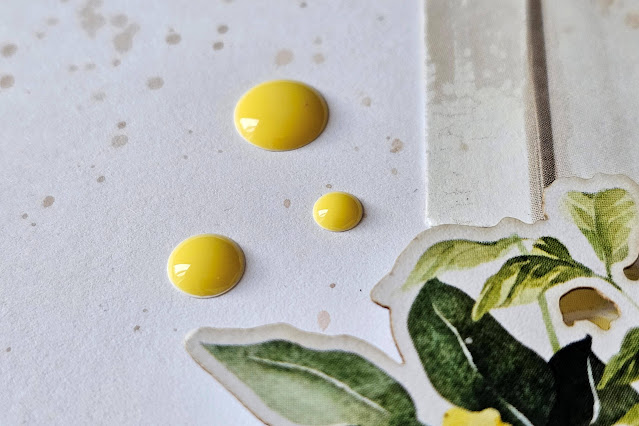
Finally I added some yellow enamel dots and some splatters of grey ink.
Recently I've been crafting with Mintay Paper's beautiful Blossom Serenity collection. The pastel colours and lovely spring-themed images, like flowers, birds, and butterflies, are just perfect for scrapbooking my spring memories.

To start my layout, I took a pink sheet of cardstock from the Bazzill Matchmaker Pack and placed a trimmed-down sheet of paper #5 on top, ensuring a thin border remained around the edges.

Using my sewing machine I stitched a straight stitch round the edges of the paper with white thread to add some texture.

With my Silhouette, I cut a long white picket fence from smooth white cardstock, designed to stretch almost the full length of the layout. I then mounted it along the bottom edge of the layout using 3D foam to create a raised effect.

I embellished the fence with flower and birdhouse die cuts from the Paper Die Cuts Pack. The Paper Die Cut Pack contains 60 die cuts so there were lots to choose from.
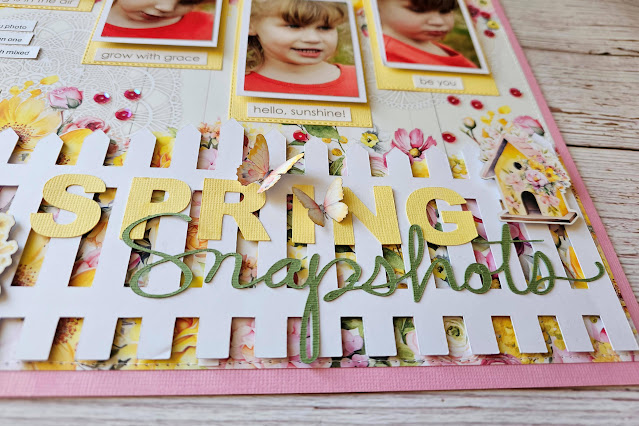
A two-part title was cut with my Silhouette: 'Spring' in yellow cardstock and 'Snapshots' in green. These were then arranged and affixed to the top of the white picket fence. Two die cut butterflies were also added to the title.

I printed four 2"x3" photos, matted them with white cardstock, and stuck them to yellow cardstock tags using 3D foam for dimension. The completed tags were then attached to the layout, and strung on white twine.

From the Paper Sticker Words sheet, I chose appropriate words and added them to the tags.

Journaling strips were typed on my computer, printed onto white cardstock, and then glued along the left-hand edge of the layout.

To finish, I added a sprinkling of pink sequins.
Today I have a scrapbook layout using the Chilling With My Snowmies collection from Echo Park. This collection is such a bright collection with a predominantly red, white and blue colour scheme, with some pink and green thrown in too. It features cute snowmen and penguins as well as florals, snowflakes and snowglobes. Whether you're scrapbooking winter holidays spent on the ski slopes or the occasional flurry of snow in your back garden, this collection is perfect.

I started my layout by removing (gutting) the centre of a sheet of the Snow Globes paper and on top of the hole I stuck a 10" square piece of white cardstock.

With a black fine liner pen I then doodled a line round the edge of the white cardstock.
Onto the white cardstock I layered rectangular pieces of the Feeling Frosty Snowflakes and the Snow Globes paper and added some horizontal strips of the Colorful Snowflakes, Winter Floral and B side of the Multi Journaling Cards papers. All the papers were lightly inked with black ink to add some definition and to make them stand out a bit against the white background.
My photo was matted on white cardstock and added on top of the paper layers.

In the top left corner of the layout I created a small cluster using more of the patterned papers and a die cut from the Ephemera Frames and Tags pack.
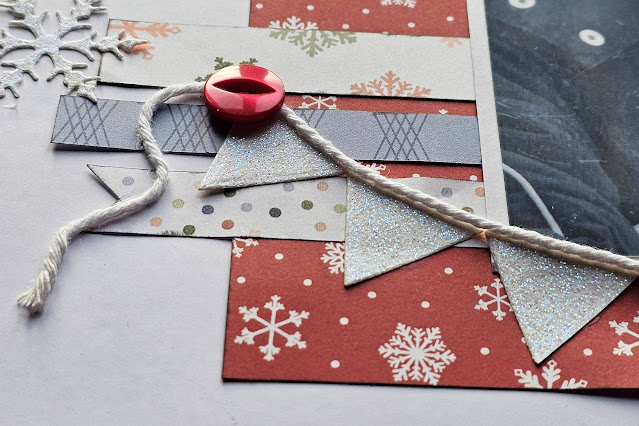
Using some white twine and some triangles cut from some white glitter card, I created a banner to hang underneath my photo.

I dug into my button box and found some buttons which matched the colours in the collection and added some to the ends of the banner and also to the cluster at the top of the page. When I first started scrapbooking, buttons were often used on scrapbook pages but I don't see then on pages very often now. I like the pop of colour a button can add and the texture they add. Bring Back The Button!

Using some mini foam alphabet stickers I placed the title directly onto the photo. By positioning it on top of the huge white snowball my son is holding in the picture, the title is easily seen.

Finally, using a manual die cutter, I die cut some snowflakes from more of the white glitter card and dotted these around the layout.
Today I have one last project using Mintay's Christmas Blessings collection. Today I am sharing a Pop-up Gift Card Holder. Whilst I have made this using a Christmassy collection, it could be made with any papers and cardstock to suit any occasion.
Full instructions for making this gift card holder can be found here at simplysimplestamping.com. The instructions are for a card holder with stamped images but as I am not really a stamper, I used patterned papers and some die cuts instead and I think it turned out great.

For my card holder I used papers from the 6x8 Paper Pad, die cuts from the Paper Elements pack and co-ordinating cardstock.
I also added some cotton lace and a wood veneer star from my stash.

Whilst this project uses the beautiful Christmas Blessings collection from Mintay I would love to make another using one of their other collections.


